Drop a cap on that GIF. Ditch the browser.
ezgif works for small clips. for real screen recordings, you're going to want a desktop app.
- 200 mb upload cap. your screen recording is 240.
- ads above the fold, ads below the fold, ads next to the timeline scrubber.
- upload → queue → process → download. four bottlenecks for a 30-second gif.
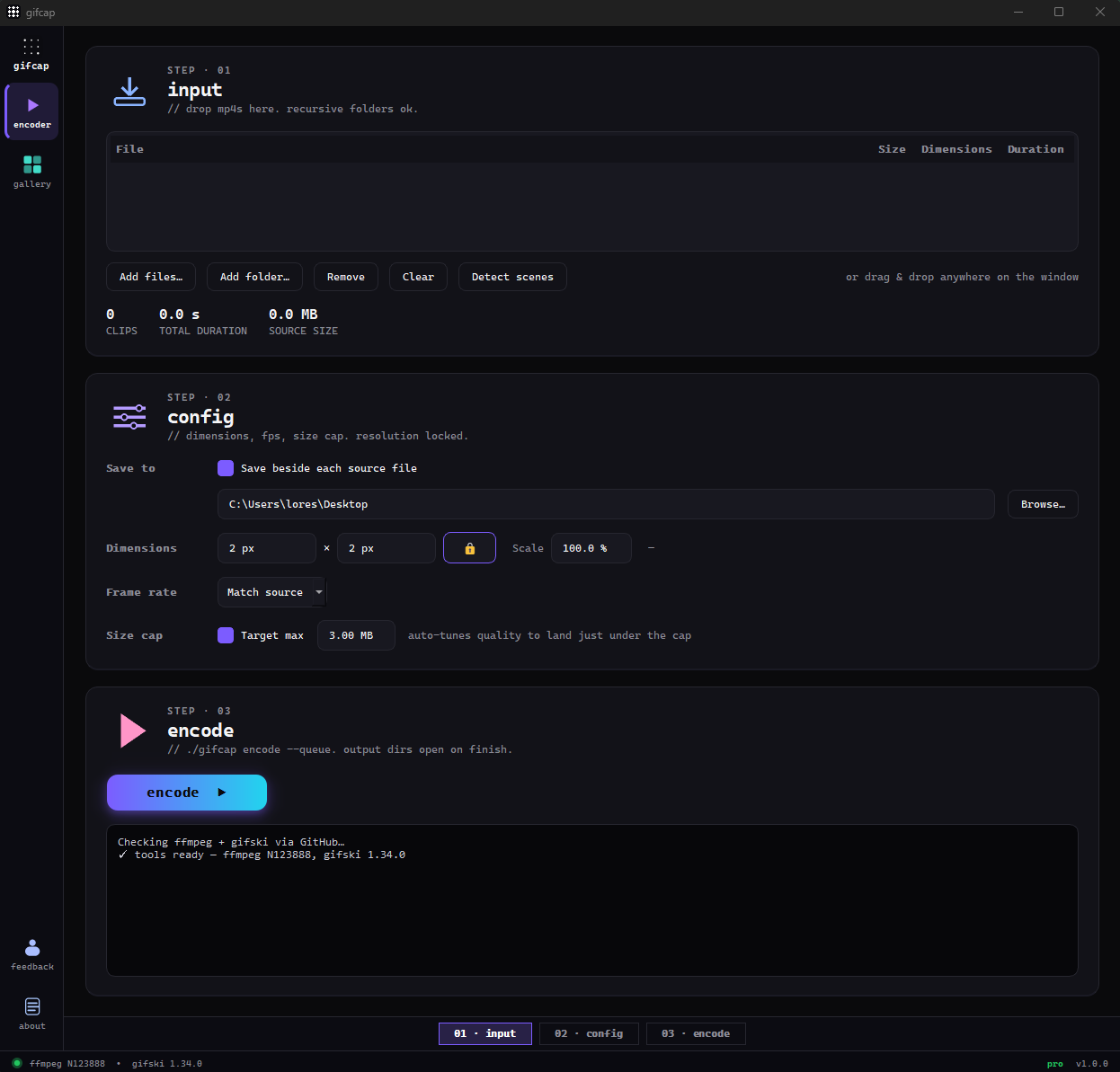
gifcap. windows desktop. ffmpeg + gifski. drag-drop. hard size cap that auto-tunes quality until every clip fits — under 10 mb, under 8 mb, under whatever you set.
| axis | ezgif | gifcap |
|---|---|---|
| upload size cap | 200 mb | none — runs locally |
| processing location | server (their cpu) | your machine (your cpu) |
| encoder | default ffmpeg | ffmpeg + gifski (per-frame palettes) |
| privacy | file leaves your machine | never leaves your machine |
| ads | yes, throughout | none |
| batch (queue many at once) | one file at a time | drag a folder, queue 50 |
| price | free | free tier; pro $29 lifetime |
How gifcap solves this — in detail
ezgif's core problem isn't the UI, it's the architecture. every encode is a server round-trip: you upload a file, it queues behind everyone else's uploads, ffmpeg chews through it on their box, and you download the result. if you're on a home connection pushing a 150 mb screen recording, the upload alone outlasts the encode. gifcap runs the same engine family — ffmpeg — on your own machine, and pairs it with gifski for the actual GIF pass. no queue, no upload meter, no 200 mb ceiling deciding which of your clips get to become GIFs.
ezgif defaults to one-shot ffmpeg with a global palette. gifski builds a per-frame palette instead, which is the difference between a screen recording that looks washed and one that looks like the original. on top of the encoder swap, gifcap's size cap binary-searches gifski's quality setting between 10 and 100 until the output lands just under your target megabytes — you pick the cap, it does the math. ezgif asks you to guess, encode, re-encode when it fails, and try again.
there's also the privacy angle. ezgif is ad-supported and your file is a guest on their server for the duration of the encode. for an NDA'd product demo, an unreleased design, or internal bug repros, that's a problem even if nothing nefarious happens. gifcap never sends the file anywhere — the only network call in the app is license validation for the Pro tier. the encode itself is local, so your clip never leaves your machine, and the GIF lands in whatever folder you pointed the app at.
ezgif vs. a local encoder — the spec
- ezgif upload cap: 200 mb per file. over that, the site rejects the upload.
- ezgif encoder: server-side ffmpeg with default one-shot palette. no gifski pass.
- ezgif monetization: display ads above, beside, and below the workspace. no paid tier to remove them.
- ezgif supported inputs: mp4, mov, webm, avi, flv, m4v, and most browser-decodable containers.
- gifcap upload cap: none — local encode, file stays on disk.
- gifcap engine: bundled ffmpeg decode + gifski encode with per-frame palettes.
- gifcap size cap: binary-search between quality 10–100 until output fits your target mb.