Drop a cap on that GIF. Best encoder on Windows.
Best depends on what you optimize for. Quality at file size: gifski. Workflow: drag-drop with batch. Price: $29 once. gifcap is all three.
- best varies by what matters · most tools optimize for one thing and tax the others · windows users get the worst of every category by default · subscriptions for one-time work feel off
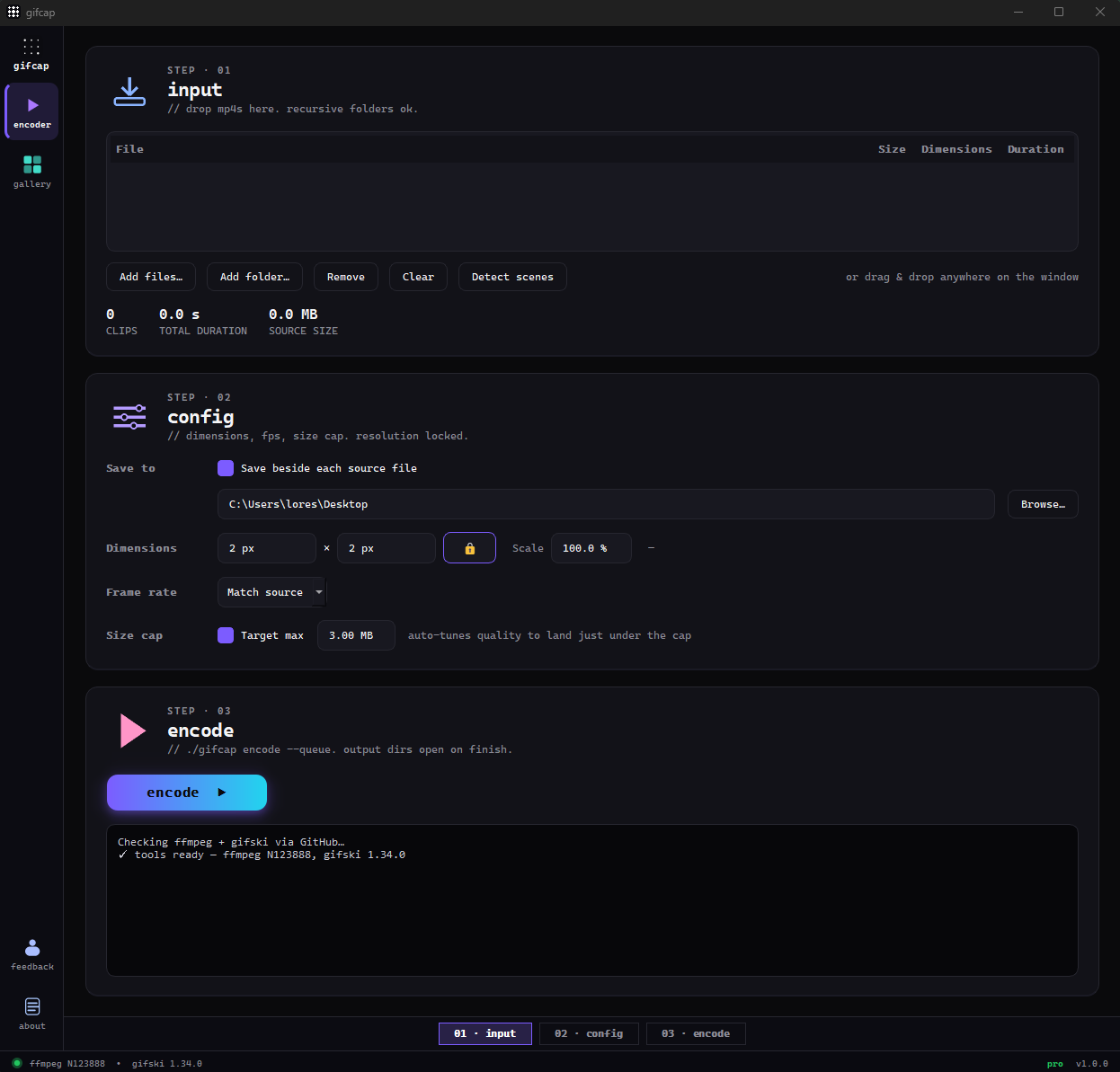
gifcap. gifcap pairs ffmpeg + gifski (the literal best-in-class quality combo), drag-drop ui (no cli), batch queue (50+ clips), hard size cap (deterministic output), $29 lifetime (no subscription). all three at once.
| axis | other gif encoders for windows | gifcap |
|---|---|---|
| encoder quality | varies — most use default ffmpeg | ffmpeg + gifski (per-frame palettes) |
| workflow | cli or dated WPF ui | drag-drop, modern dark mode |
| hard size cap | typically not built-in | binary-search built in |
| batch | limited or absent | 50-clip queue |
| price | free with ads, or subscription | free tier; $29 lifetime |
| cost | free | free tier; pro $29 lifetime |
How gifcap solves this — in detail
Best in GIF encoders is a multi-axis question. Quality at file size: gifski wins because per-frame palettes preserve more detail than a single global palette. Workflow polish: drag-drop with batch beats CLI flags or dated UI. Price model: $29 lifetime beats free-with-ads or recurring subscription. Each axis has a different winner among Windows tools — gifcap aims to win on all three simultaneously.
The encoder choice is the foundation. ScreenToGif uses ffmpeg by default (gifski as an optional plugin). Gyazo, Recordit, LICEcap each use their own encoders that lag gifski on quality-per-byte by 30–50%. Online tools (ezgif, GIFs.com) use server-side ffmpeg with default settings — fast but visually weak at small sizes. gifcap defaults to gifski + ffmpeg from install.
The workflow polish is the second axis. Most "best" Windows GIF tools have either a CLI (gifski.exe) or an aging WPF UI (ScreenToGif, LICEcap) or a browser tab with ads (ezgif). gifcap is PySide6 + dark mode + drag-drop — modern, focused, no ads. The batch queue is the third differentiator: dropping a folder of 50 clips and walking away is workflow that gets dev/design teams off online tools entirely.
Windows GIF encoders — by axis
- Encoder quality (per-frame palettes): gifski (gifcap default), gifski plugin in ScreenToGif
- Encoder quality (single global palette): default ffmpeg, LICEcap, online tools, Gyazo
- Drag-drop UI: gifcap, ScreenToGif
- CLI only: gifski.exe, raw ffmpeg
- Browser: ezgif, GIFs.com (require upload)
- Hard size cap (auto): gifcap (binary-search built in)
- Batch queue: gifcap (50+ clips), ScreenToGif (limited)
- Free with ads: ezgif, GIFs.com
- Free OSS: ScreenToGif, LICEcap, Kap (Mac)
- Subscription: Gyazo Pro
- One-time: gifcap ($29 lifetime), CleanShot X (Mac, $29 + $19/yr updates)